
Cloud storage · CDN
Offload WordPress Media to Cloud Storage & CDN — WP Offload Media Alternative
Offload WordPress media to Amazon S3, Cloudflare R2, DigitalOcean Spaces, or Google Cloud Storage. Automatic uploads, URL rewriting, CDN delivery, and bulk migration—combined with folders, optimization, and AI metadata in Sigma Media Manager.
Why teams look for a WP Offload Media alternative
Classic offload plugins move files—but modern sites also need organized libraries, safe migrations, and a path to faster pages. Sigma Media Manager is a WordPress offload media solution that connects object storage and optional CDN delivery to the same media manager you use every day: folders, statuses per attachment, and bulk tools without chaining three separate products.
Whether you standardize on Amazon S3, Cloudflare R2, DigitalOcean Spaces, or Google Cloud Storage, credentials stay in your control and URLs rewrite so visitors keep loading images, documents, and generated sizes predictably.
Offloading, CDNs, and what it means for SEO
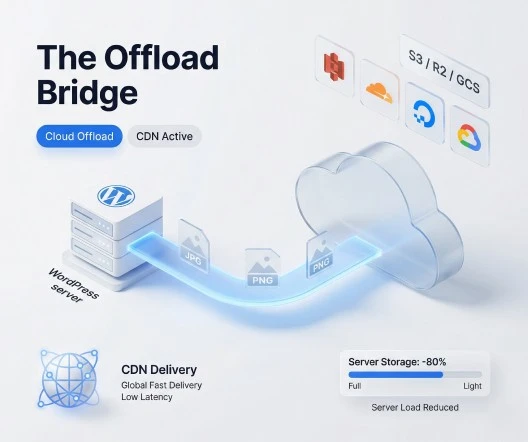
Search engines reward pages that load quickly and reliably. Serving media from object storage plus a WordPress media CDN reduces origin bandwidth and can improve Largest Contentful Paint when hero images and galleries are delivered from edge locations closer to your visitors.
- Lower risk of origin timeouts during traffic spikes
- Branded or dedicated CDN hostnames for consistent asset URLs
- Room to add compression and AI alt text in the same product surface
Upload path
Automatic Media Offloading
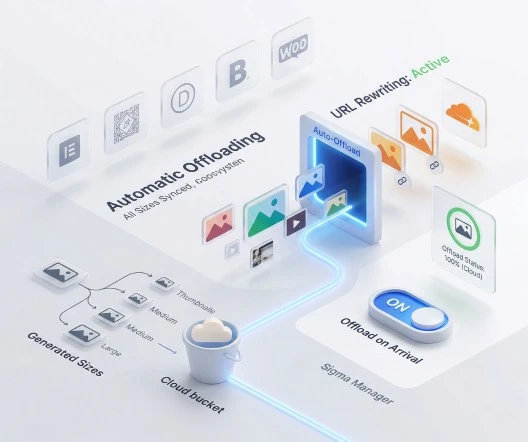
New uploads can copy to your bucket automatically; WordPress rewrites attachment URLs so posts, products, and builder content keep working— including thumbnails and generated image sizes. Toggle automatic offload anytime as your rollout strategy evolves.
Compatible with common stacks: Gutenberg, Elementor, Divi, Bricks, WooCommerce, and native WordPress galleries.
- Offload every new upload on arrival
- Instant URL rewriting for public URLs
- Offload all generated image sizes with the parent
- Toggle automatic offload without losing library structure
- See offload status per file inside the library
Object stores
Multi-Provider Cloud Storage Support
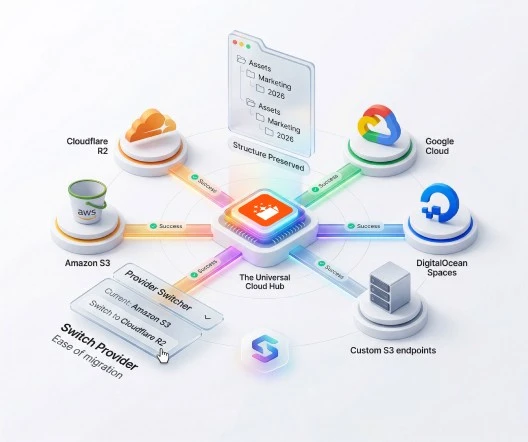
Connect the platform your DevOps team already trusts—no lock-in to a single vendor API. Use S3-compatible endpoints where it makes sense, and rotate credentials on your schedule.
Sigma Media Manager treats offloading as one layer in a broader WordPress media library strategy: the same UI where you folder, search, and clean unused files is where you confirm cloud sync state.
AWS object storage
WordPress media offload to Amazon S3
Amazon S3 is the de facto standard for durable object storage. Sigma Media Manager connects your WordPress media library to S3-compatible buckets so new uploads, thumbnails, and generated sizes can sync automatically while attachment URLs rewrite to your public hostname or CDN.
Teams already running AWS—whether for static sites, WooCommerce catalogs, or multisite networks—get predictable IAM-based access, versioning-friendly workflows, and a clear path to pair buckets with CloudFront or another CDN for edge delivery without changing how editors use the media modal.
- Use standard access keys or scoped credentials aligned with your security policy
- Offload originals and derived image sizes together so themes keep resolving every variant
- Optional automatic offload on upload plus per-file status inside the library grid
- Background bulk migration when you are moving an existing library off crowded disks
- Works alongside Sigma Media Manager folders, cleanup, optimization, and AI metadata in one dashboard
S3-compatible edge storage
WordPress offload to Cloudflare R2
Cloudflare R2 exposes an S3-compatible API, which makes it a strong fit for WordPress teams that want object storage without tying egress-heavy delivery only to origin hosting. Sigma Media Manager treats R2 like any other compatible endpoint: configure the bucket, credentials, and public URL pattern, then let the plugin rewrite attachment URLs consistently.
Publishers and SaaS-style WordPress products often standardize on Cloudflare for DNS, WAF, and caching—adding R2 keeps media bytes close to that same control plane. Combine R2 with Sigma Media Manager's CDN URL mapping when you want branded asset hostnames and fine-grained cache rules.
- S3-compatible API—reuse familiar bucket and key semantics your developers already know
- Clear separation between storage credentials and WordPress application users
- Automatic URL rewriting so posts, builders, and WooCommerce galleries keep working
- Scales with campaign traffic without pushing every image byte through PHP on the origin
- Same Sigma Media Manager migration and rollback posture as other providers in this list
Google Cloud buckets
WordPress offload to Google Cloud Storage
Google Cloud Storage suits organizations that already run analytics, BigQuery, or container workloads on GCP and want media objects governed by the same billing, auditing, and access boundaries. Sigma Media Manager focuses on the WordPress-facing workflow—credentials, bucket selection, and URL rewriting—so content teams keep a single media library while infrastructure teams keep ownership of cloud IAM.
When you are standardizing on multi-region buckets or interoperability endpoints, Sigma Media Manager still delivers the same editor experience: folders, offload status, and optional bulk migration queue for legacy uploads that pre-date your cloud rollout.
- Align WordPress media with enterprise GCP governance and procurement models you already use
- Interoperable access patterns suitable for teams that mix GCS with S3-style tooling
- Rewrite public URLs to your chosen hostname so SEO and analytics stay consistent
- Include generated thumbnails and responsive sizes when offloading parent attachments
- Reduce origin disk pressure on high-traffic magazines and membership sites
Spaces object storage
WordPress offload to DigitalOcean Spaces
DigitalOcean Spaces offers an S3-compatible object store with straightforward pricing that appeals to agencies, indie SaaS builders, and WooCommerce merchants on DigitalOcean Kubernetes or Droplets. Sigma Media Manager maps your Space, keys, and region endpoint into the same offload UI used for larger clouds—so you are not juggling a separate offload-only plugin for WordPress.
Spaces works well when you want predictable monthly storage plus CDN-style delivery options in front of your Space. Sigma Media Manager keeps WordPress attachment metadata authoritative so shortcodes, blocks, and product galleries continue to resolve the correct object URLs after offload.
- S3-compatible API with region-specific endpoints documented in your DO control panel
- Ideal when your stack already lives on DigitalOcean and you want fewer moving parts
- Automatic on-upload offload plus toggles when you roll out gradually by site or environment
- Bulk migration path for media imported from staging or migrated hosts
- Combine with Sigma Media Manager image optimization so fewer redundant bytes reach object storage
Edge
CDN-Powered Media Delivery
Pair object storage with CloudFront, Cloudflare, or custom CDN hostnames. Sigma Media Manager maps media URLs to edge endpoints so repeat visitors benefit from geographically distributed caching—without hand-editing every post.
Custom CDN domains keep branding consistent and make firewall rules easier when only your asset hostname needs allowlisting.
- Automatic URL rewriting for CDN endpoints
- Lower origin bandwidth and CPU spent serving bytes
- Custom CDN domains for branded asset URLs

Legacy libraries
Bulk Cloud Migration for Existing Media
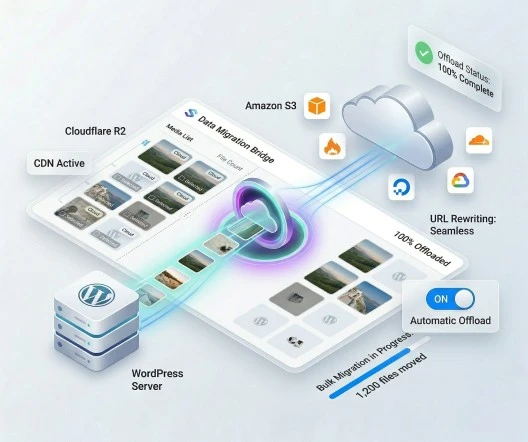
Already have thousands of files on disk? Queue a bulk WordPress media migration that runs in the background—your editorial team keeps publishing while objects copy upward. Choose whether to retain local copies for rollback or reclaim disk after verification.
Ideal after mergers, imports from staging, or moving off overloaded shared hosting.

Cloud offload at a glance
Screenshots below use real product surfaces: storage connection, delivery path, and how offload fits inside the broader Sigma Media Manager media workspace.
Automatic offload on upload
New files can sync to your bucket as they land in WordPress—status visible next to thumbnails.
Multi-provider credentials
Standardize on S3, R2, Spaces, GCS, or compatible endpoints with clear connection settings.
CDN-powered delivery
Map public URLs to your CDN hostname so visitors load from the edge, not only from origin.
Bulk migration queue
Move existing libraries safely with progress feedback—without taking the site offline.
What you gain beyond “files in a bucket”
Offload-only tools solve storage—but leave folders, cleanup, optimization, and document workflows fragmented. Sigma Media Manager keeps cloud sync, URL rewriting, and delivery beside the rest of your media operations so editors and developers share one mental model.
- Less disk and bandwidth pressure on your web server
- Better headroom under traffic spikes and large catalogs
- Global delivery when paired with a CDN and sensible cache headers
- Same product as folders, AI metadata, image optimization, and document libraries

Built for real hosting constraints
Agencies, publishers, and WooCommerce stores use Sigma Media Manager offload when origin disks, backup windows, or egress bills become the bottleneck—not as a science project, but as a production default.
Less strain on your web server
Large libraries stop competing with PHP and database for disk and egress—object storage absorbs the heavy lifting.
Room to scale traffic
When campaigns or sales spike, media is served from resilient cloud infrastructure instead of maxing out shared hosting I/O.
One workflow for the whole stack
Offload sits next to folders, bulk migration, optimization, and cleanup—so ops and content teams share one tool.
Offload + library tools together
After files live in object storage, you still need to find, rename, folder, and retire unused assets—Sigma Media Manager handles that in the same interface.
Related capabilities
- File manager & folders — Organize uploads before and after they hit the bucket.
- Image optimization — Compress and resize before bytes ever reach object storage.
- Compare Sigma Media Manager vs alternatives — See how Sigma Media Manager stacks up to offload-only and folder-only plugins.
Frequently asked questions
Answers about WordPress cloud offload and CDNs. Account or billing questions? Contact us.
Sigma Media Manager supports Amazon S3, Cloudflare R2, DigitalOcean Spaces, Google Cloud Storage, and other S3-compatible endpoints—so you can standardize on the object store your team already uses.
Sigma Media Manager rewrites attachment URLs to your bucket or CDN domain while keeping WordPress attachment records intact. Thumbnails and generated image sizes are included so themes and builders keep resolving the right files.
Yes. A background migration queue moves large libraries over time so your site stays online. You can control whether to keep local copies, remove them after upload, or re-download from cloud when needed.
Yes. Sigma Media Manager works at the WordPress attachment layer, so WooCommerce galleries, Gutenberg blocks, Elementor, Divi, Bricks, and similar tools continue to reference media the same way—with faster delivery when a CDN is configured.
Sigma Media Manager combines cloud offload, optional CDN URL mapping, bulk migration, and the rest of the media toolkit (folders, optimization, AI metadata, document libraries) in one licence—reducing plugin overlap and update cycles.
Moving bytes off your origin and closer to visitors (especially with a CDN) reduces server bandwidth and can improve LCP and TTFB under load. Pair offload with image optimization and sensible caching for the best results.
Replace five plugins with one workflow
Sigma Media Manager replaces separate tools for folders, AI metadata, unused-file cleanup, cloud offload, image optimization, and document security — all from one lightweight WordPress plugin.
- Media Folders
- AI Metadata
- Unused Media Cleanup
- Cloud Offload
- Image Optimization
- Document Security