How to copy Elementor page to another website


Build any WordPress form in minutes with Sigma Forms.
Coming Soon & Maintenance Mode Page Builder Plugin
Easily make websites accessible One Accessibility
Simplify your dashboard with Smart Admin Assistant
Dark Reader plugin is eye-friendly reading experience.
A full Featured web design companion for Anyone
Most superior Slider in the Era of Elementor Slider
ZoloBlocks helps you create stunning websites with the Gutenberg builder.
The only Compatible blogging widgets in Elementor for any Blog
Create next gen e-commerce website for your business in WordPress
Organize your photos in a different angel every time with Elementor
Boost engagement and sales with the Spin Wheel WordPress plugin.
Instant Image Generator for WordPress powered by ChatGPT.
Copy & Paste any web design you like just with 2 clicks!
A fully functioning theme for elementor with unlimited options
Smart Clean & Flexible Block Theme for Gutenberg
WooCommerce one-page checkout to boost conversions.
Find Nearby Stores Instantly with Sigma Store Locator
The Ultimate WordPress Media Library Organizer
Find us 24/7 at your service. We are glad to help.
Detailed guidelines available for every features at BdThemes
A changelog is a log or record of all notable changes made to a product.
Learn product usage, WordPress tips & tricks from our videos
Earn hefty commissions by joining us in the promotion
Widget Idea Share is a great way to find similar widgets that you can improve.
Written by admin. Posted in Live Copy Paste 2 Comments
In this era of Page builder, doing a design from scratch is kind of tiring, don’t you think?
Just imagine you just see a design on a page, thinking that will be a good addition to your page and would make it more amazing!!
But wait!! How can you copy a design!!? Is it possible?
It is possible now in Elementor, with a simple addon called “Live Copy paste”
By this amazing Elementor addon , you can copy Elementor section to another website with just a few clicks.
Today we will show you how to copy Elementor page to another website easily.
More precisely any section you want!!
The Live Copy Paste feature is a revolutionary tool developed to work with Elementor Page Builder.
This feature can also be called a cross domain feature for Elementor.
It provides users with unprecedented control over the UI, allowing them to effortlessly import and export live pages, sections, widgets, and any kind of designs – including all modifications – with a single click.
But that’s not all. Live Copy Paste is not limited to live pages; it also works for static and dynamic websites, including demo pages, section blocks, ready templates, and much more.
With this powerful addon, you can copy the layout from both the frontend and backend, giving you maximum flexibility and convenience.
What’s more, Live Copy Paste is a cross-domain feature that is exclusively available for free from BDthemes. Don’t miss out on this incredible opportunity to revolutionize your workflow!
Warning:- Both sites need to have installed Elementor and element pack otherwise this feature wont work at all!!!
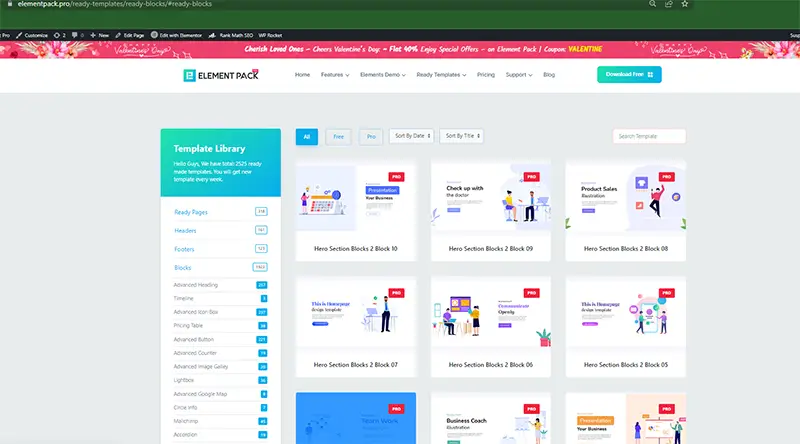
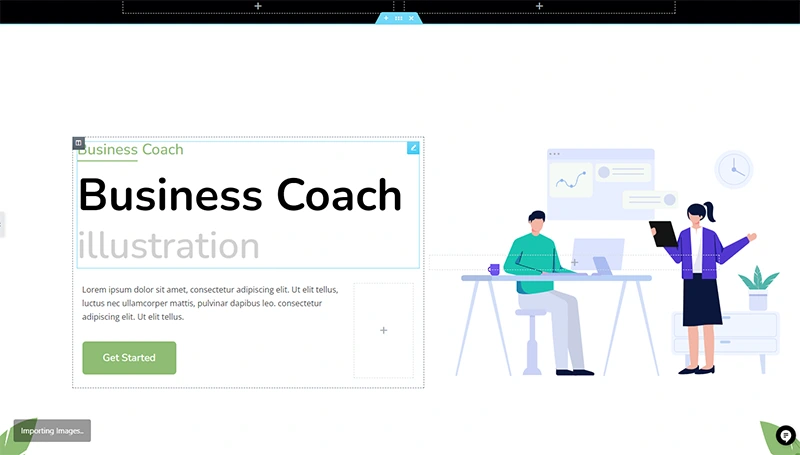
i)For the test purpose I am trying with two different domains. One is our own domain Element Pack Pro and I will copy the section into my testing site wookit.pro. As you see these are two different domains.
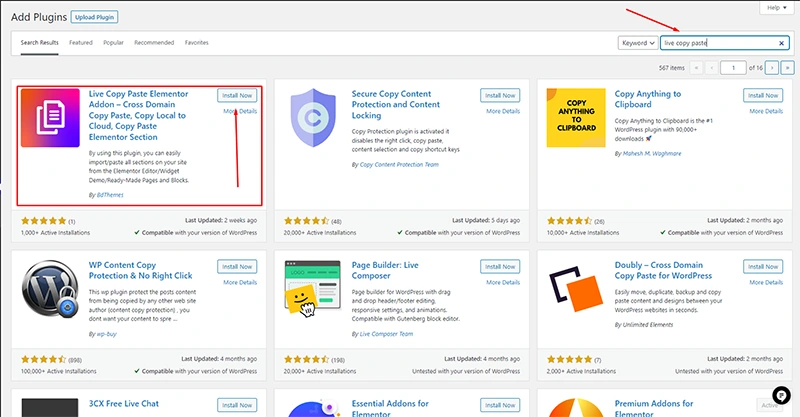
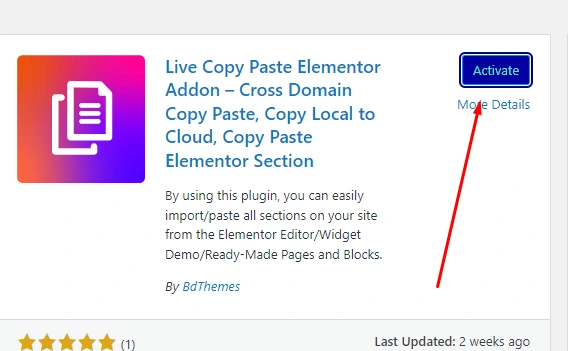
There you can see our add- on in the first place. Press the install button, it will be downloaded within a short time.
ii) now we will copy a section from our template library.
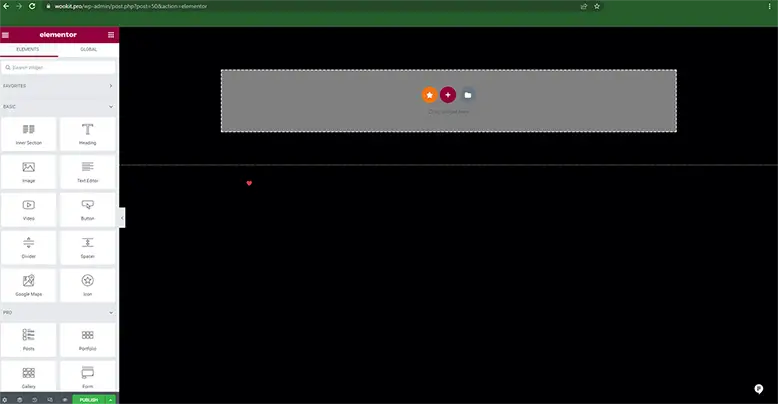
iii) then let’s paste it into our taste page
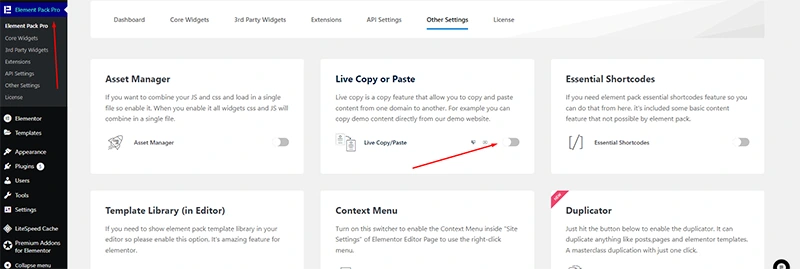
But before that i need to enable live copy paste addon for my test site also.
Now it’s time for paste the design into my test page
For that:-
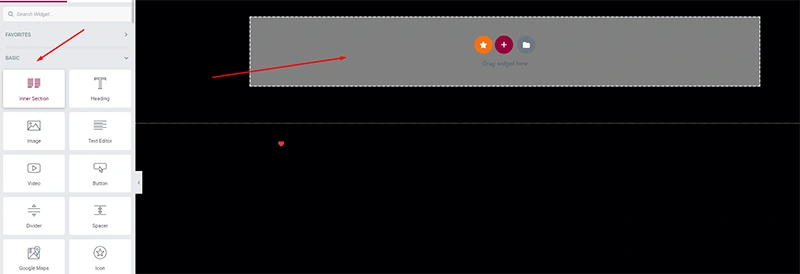
First i will drag a inner section to my test page
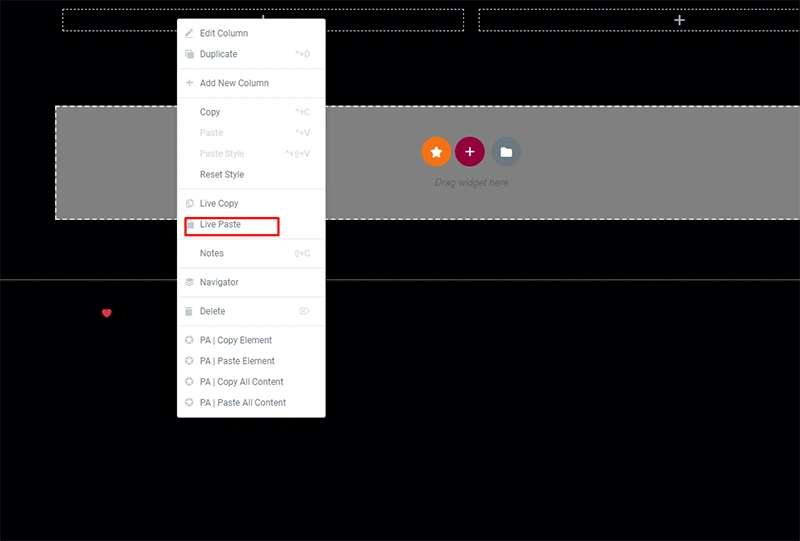
Then in the widget press right click there you will see some options. Click on live paste.
There you go, the design is successfully copied.
Iv) Now it’s done. I just got the design I want from another domain. Now I will customize the section as I want. That’s another story. You can find amazing blogs about it here.
As a cross domain copy paste elementor addon, Live copy paste addon has a next level feature.
We call it Magic copy.
So what does it do?
It gives you full control of your website’s content. Which can be copied and what would not, you can decide fully.
By the option “ only for logged in users” only users that are logged in your website with their user account can copy any section of your elementor webpage.
So we explained how to copy elementor page to another website in simple step by step.
Let us know what you think of this add-on!! Suggest us what should be improved to make it more usable for you.
Want some good go-to tutorial for Elementor? check out our Elementor related Blogs for In-depth and easy blogs.
You must be logged in to post a comment.
Take advantage of fine-tuned plugins to speed up web projects without sacrificing quality. We offer a 60-days money-back guarantee.

BdThemes is the sole owner of #1 market-leading addons for Elementor such as Element Pack Pro, Prime Slider, Ultimate Post Kit, Ultimate Store Kit, Pixel Gallery, and more useful plugins.
This website is powered by Element Pack Pro, Rooten Theme, and the sister concern of Sigmative LLC
Call or WhatsApp for assistance:+880 1700 55 95 95

Geo
It does not Copy the new Containers though. How long will it take for an update? I used the feature all the time, but switched to containers, and can’t use it anymore. 🙁
Abu Talib
Hi Geo,
which version are you using now?
In our development environment, we haven’t found any issues. so please mention the exact version that you are using now or just update it to the latest version.
if you still face any issues, fill free to open a support ticket.